Your crew is lined up, interviews are booked and you’ve chosen your seat on the plane. There’s one other important thing that has to be planned before your shoot: how are you going to get that footage out of the camera?
There’s a lot of discussion about the best workflow in post, but increasingly, it’s necessary to figure out how to handle footage during a shoot. If you don’t, it could take you a whole night to transfer that footage.
For a long time, it was straightforward: At the end of the day, the shooter would simply hand a tape or disc to the producer. The longest part of the process was writing up the labels and finding the plastic case.
A few years back, transferring footage changed as cameras began recording onto cards. They’re too expensive to hand off, so the footage had to be copied to a hard drive. It meant adding in a little extra time, but had the advantage that you could easily make multiple copies in the field. An hour of XDCAM footage took up about 25GB, so it would transfer to the hard drive pretty quickly and didn’t take up too much space.
But now things are more complicated. Most production companies are moving to 4K, many shoots are using a second camera, and lots of cameras and recorders compress to edit-ready codecs, which create enormous files. A two-hour interview that used to require 50GB of hard drive space can now create more than twenty times as much data.
I’ve been shooting for almost two decades and just this past year the file sizes have jumped, sometimes to more than 1TB of footage per day. Storage is pretty cheap, but the biggest issue with huge file sizes is the transfer time. If there’s a bottleneck in the transfer, like a USB 2.0 connection, it can take more than eight hours to get that onto a hard drive. For producers who were planning to fly out the same night, this is a problem.
Here’s how you can avoid long transfer times at the end of the day:
- Have your DP chat with your editor long before the shoot to figure out what codec you need the footage in. Most cameras have an internal codec that’s great for most uses, and is a fraction of the size of ProRes or DNxHR.
- Make sure the hard drive you bring with you, the card reader your DP provides, and the laptop you’re using to transfer the footage, all have at least USB 3.0 connections. If you’re not sure what your hard drive and laptop connections are, look inside the wire and the port it’ll be connecting to. If it’s blue inside both, you’re using USB 3.0. If not, you’re probably using USB 2.0, which can add several hours to the transfer time.
- If you’re shooting a lot of footage, don’t wait until the end of the day to start transferring. If you stop for lunch, you can begin copying all the footage from the morning.
- Start transferring whenever you have a long drive during the day. I keep an inverter in my van so we can plug in a laptop as we go. If need be, we can move all the footage over while I drive the producer to the airport.
Over time, these issues will ease up. Apple’s new MacBook Pros have Thunderbolt 3 connectors, which can theoretically transfer a terabyte in just a few minutes. In reality, it may be a few years until the card readers and hard drives catch up. The footage only transfers as quickly as the slowest link, so if you have the shiniest new MacBook and a top-of-the-line hard drive, but the DP uses a card reader with a USB 2.0 connection, the footage will transfer at the same speed it did five years ago.
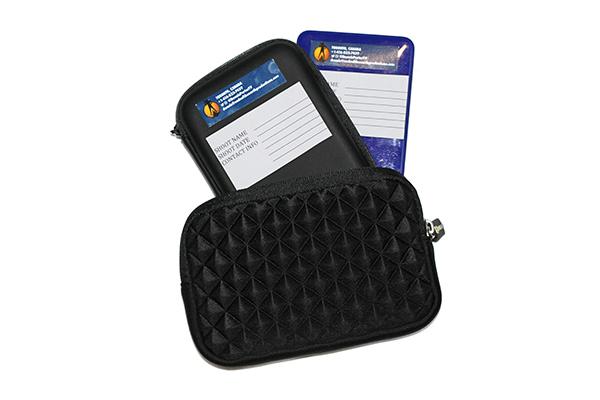
Before you wrap up for the day, label your drive and its case with the contents and your contact info. Drives get lost all the time, especially at TV networks or bigger production houses. After all the work you’ve put into the shoot, isn’t it worth two more minutes for that extra bit of insurance?
Finally, for shooters, one important note: To many producers, this is a bunch of technical gobbledygook. But you understand it, so step in and take some responsibility for getting the footage transfer to go smoothly. Work with the producer and editor before the shoot to make sure the workflow and schedule is sorted out, bring along an extra drive in case they forget theirs, and most importantly, before you empty the cards, make backups for yourself. I make duplicates of everything I shoot and keep it indefinitely. Several times a year, I get a panicked email from a producer who has lost their footage from many months ago. I can upload or courier out another copy right away.
It’s these little things in shooting workflow that can save a ton of time, and even rescue an entire project.
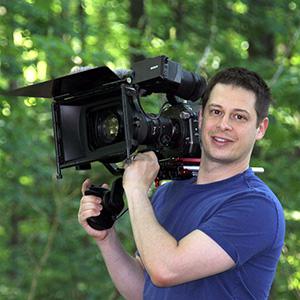
Toronto-based DP Dennis Porter has worked in TV for nearly two decades. He’s travelled to the ends of the earth, shooting and producing for major broadcasters and corporate clients. His work can be seen at www.endsoftheearthproductions.com.